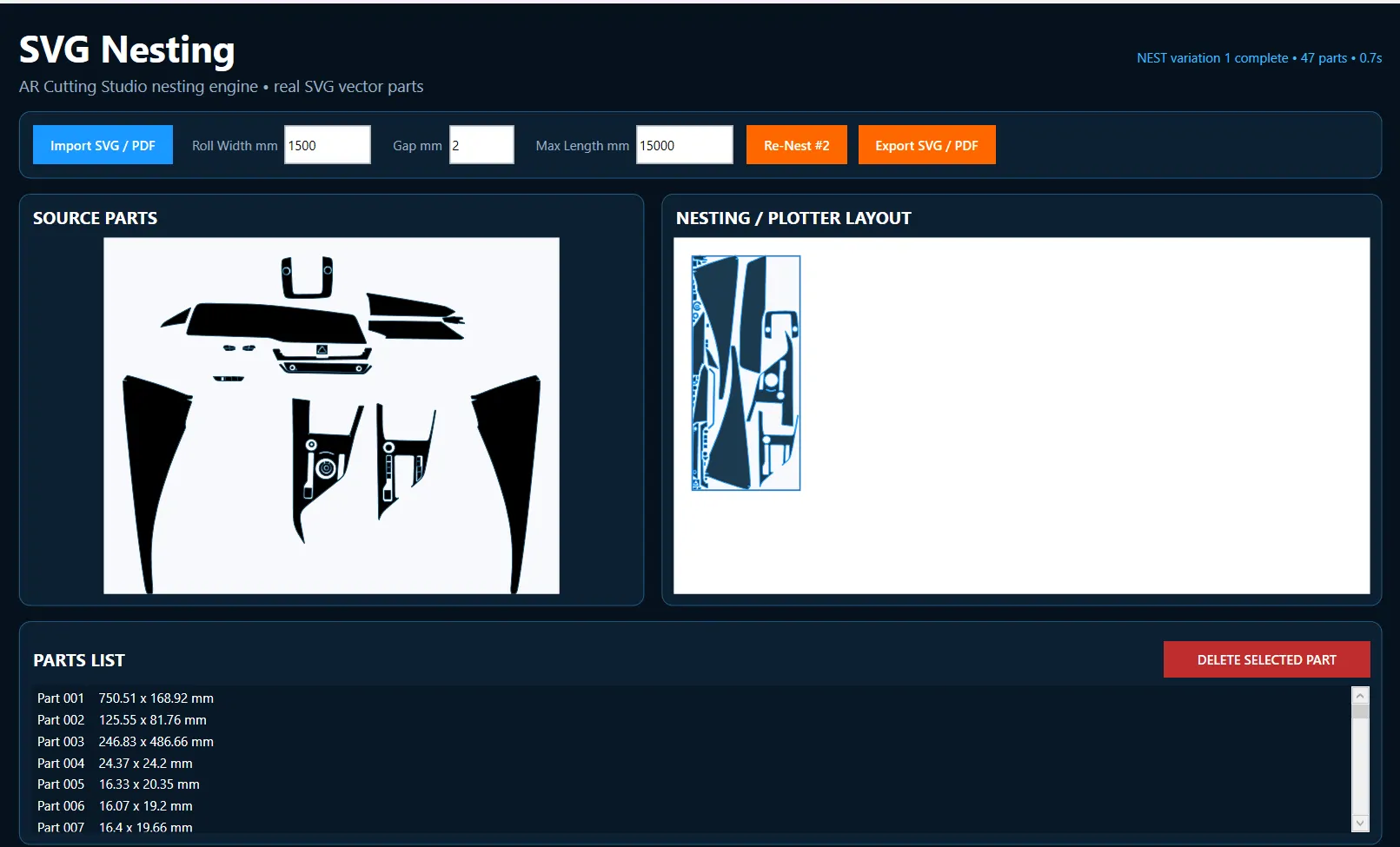
Automatic SVG & PDF Nesting for PPF, Vinyl & Cutting Templates
AR PPF Tools is a PPF nesting software for Windows that automatically arranges SVG and PDF cutting templates inside your selected roll width. Import your vector parts, set the material width and gap, then use Auto Nest to create a compact plotter-ready layout with less wasted PPF or vinyl.
Designed for PPF shops, template makers and cutting-plotter users who need fast SVG nesting, PDF nesting and material-saving layouts.
- Import SVG and PDF cutting templates
- Set roll width, gap and maximum nesting length
- Automatic nesting to reduce PPF and vinyl waste
- Export the finished nested layout for your cutting workflow
Convert PDF to SVG and SVG to PDF for Cutting Templates
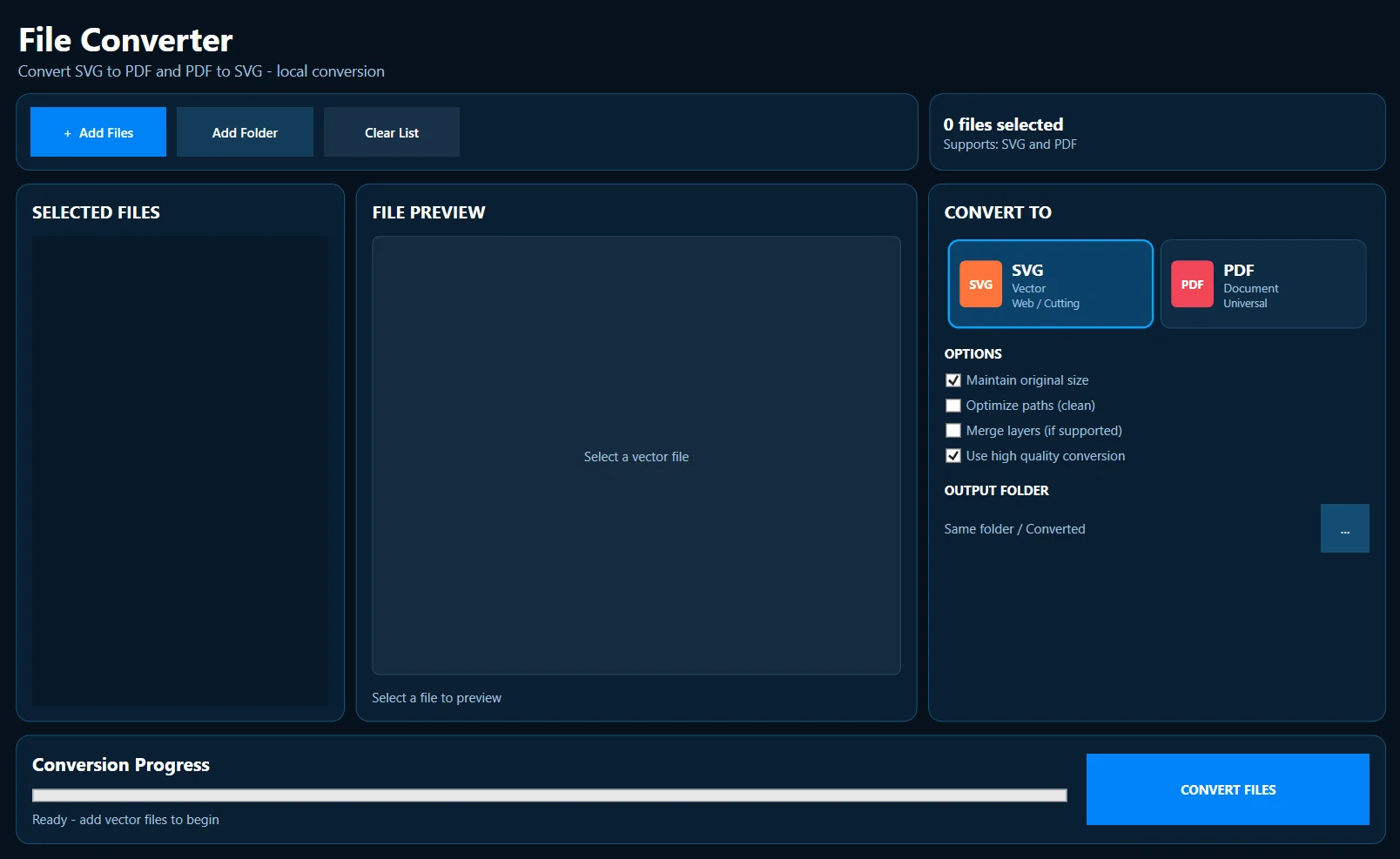
AR PPF Tools includes a simple PDF to SVG converter and SVG to PDF converter for cutting-template workflows. Convert compatible vector PDF files into SVG format for editing or nesting, or convert SVG cutting files into PDF format when you need an easy-to-share or print-ready file.
This tool is useful for PPF, vinyl and vector-template users who regularly work with PDF cutting templates and SVG cutting files and want fast two-way conversion inside one Windows application.
- Convert PDF cutting templates to SVG
- Convert SVG cutting files to PDF
- Useful for PPF, vinyl and vector template workflows
- Fast two-way conversion inside AR PPF Tools
Reduce Image File Size to Your Target KB Without Unnecessary Quality Loss
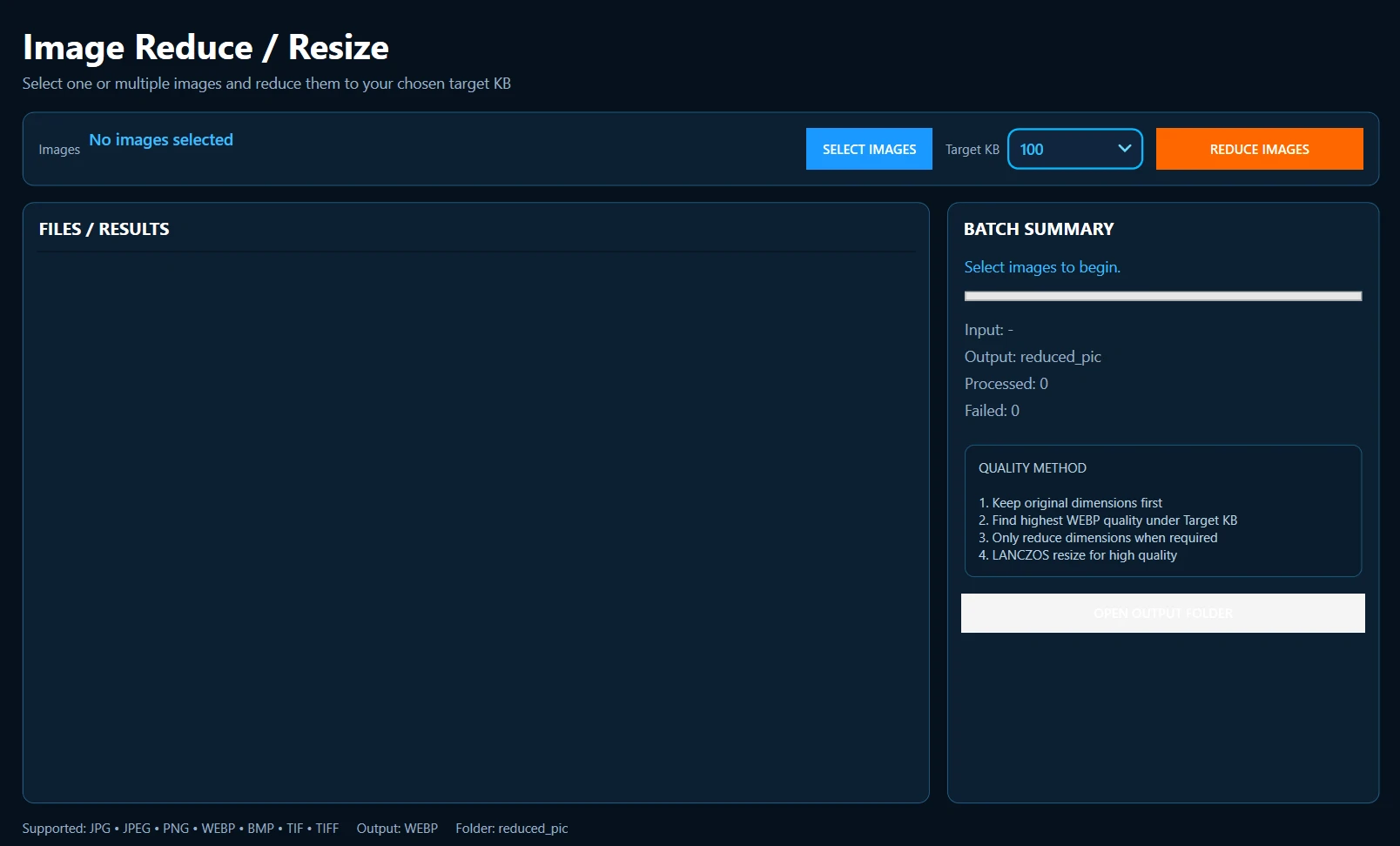
AR PPF Tools includes a built-in image size reducer for quickly reducing one or multiple images to a selected target file size in KB. Choose your images, select the target KB and let the software optimize the files automatically.
The tool first tries to keep the original image dimensions while finding the highest suitable WEBP quality under your target size. If needed, it gradually reduces the dimensions using high-quality LANCZOS resizing. This makes it useful for website image optimization, product images, template previews and other image-heavy workflows.
- Reduce single or multiple images to a selected target KB
- Keeps original dimensions first whenever possible
- Automatically finds the best WEBP quality under the target size
- Supports JPG, JPEG, PNG, WEBP, BMP, TIF and TIFF images
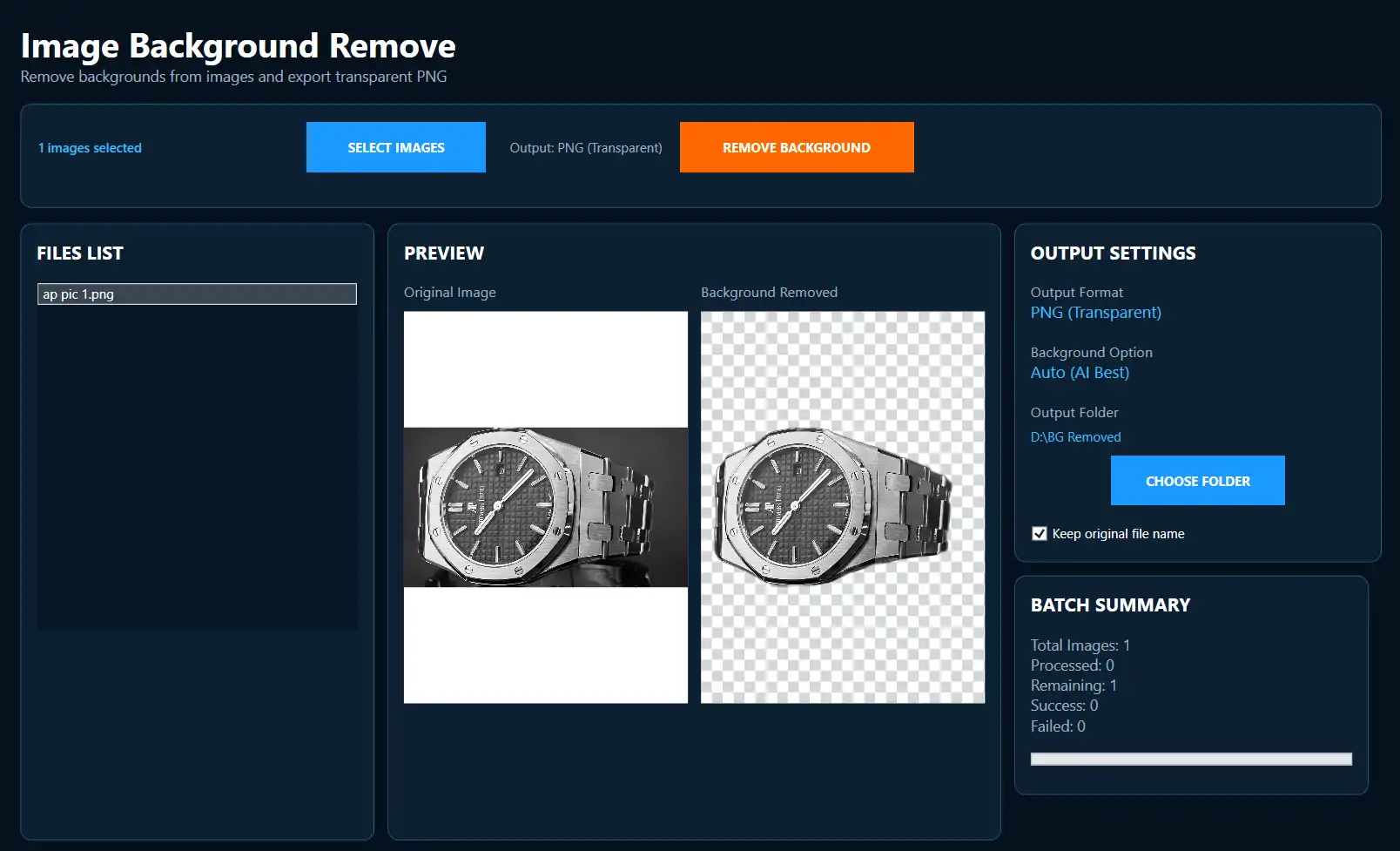
Remove Image Backgrounds and Export Transparent PNG Files
AR PPF Tools includes an image background remover that removes unwanted backgrounds and exports clean transparent PNG files. It is useful for product images, PPF template previews, logos and website graphics where you need a transparent background without opening a separate editing program.
Select one or multiple images, remove the background automatically, preview the result and save the transparent PNG files to your chosen folder.
- Automatic image background removal
- Export transparent PNG files
- Batch background removal for multiple images
- Preview original and background-removed images
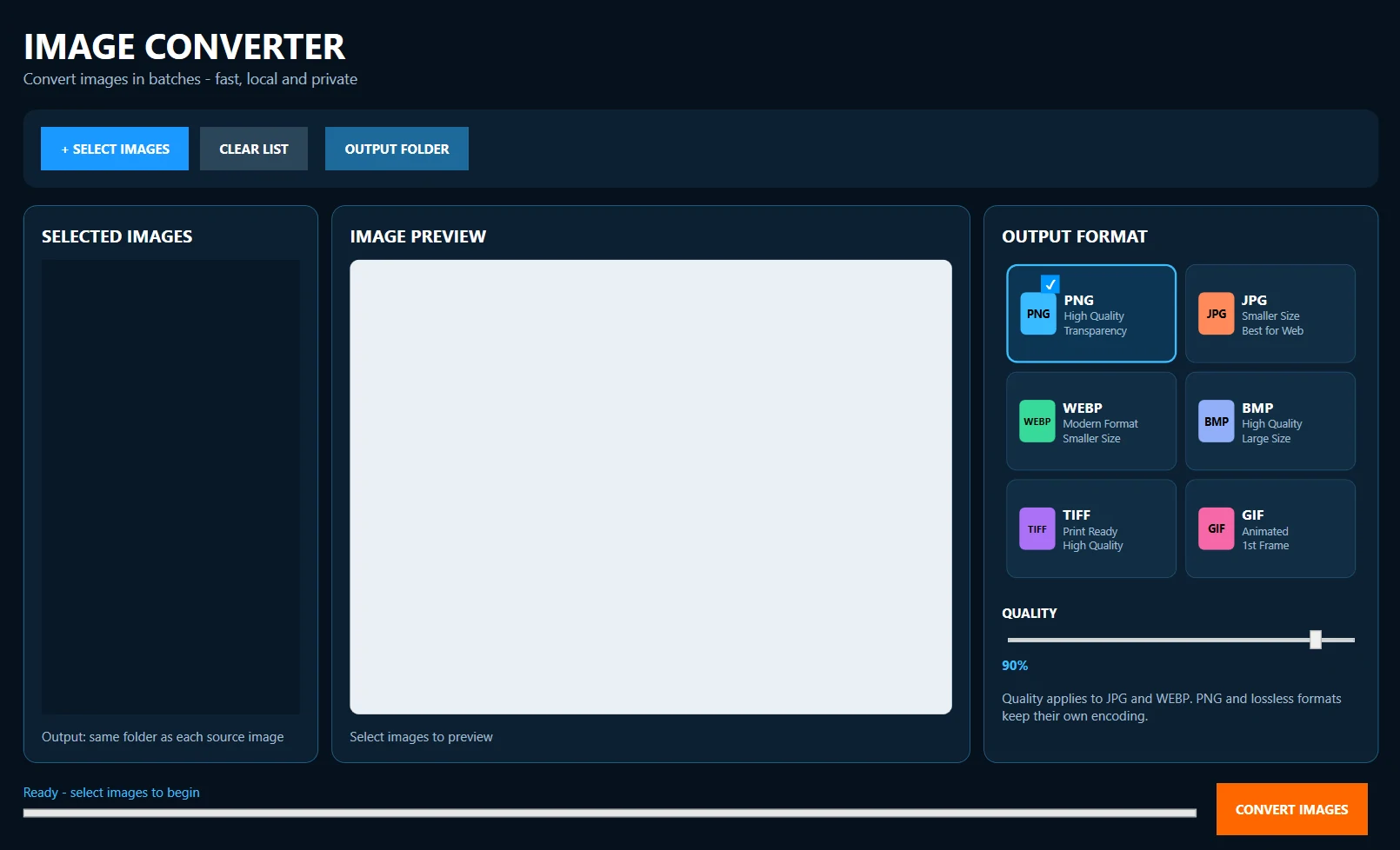
Convert Images to PNG, JPG, WEBP, BMP, TIFF and GIF
Use the built-in image converter for Windows to convert one or multiple images between popular formats. AR PPF Tools supports PNG, JPG, WEBP, BMP, TIFF and GIF conversion, making it easier to prepare product images, website graphics and PPF template previews in the format you need.
Choose your images, select the output format and quality, then batch convert them locally on your computer.
- Convert images in batches
- PNG, JPG, WEBP, BMP, TIFF and GIF output formats
- Adjust quality for JPG and WEBP files
- Local image conversion with no separate online converter
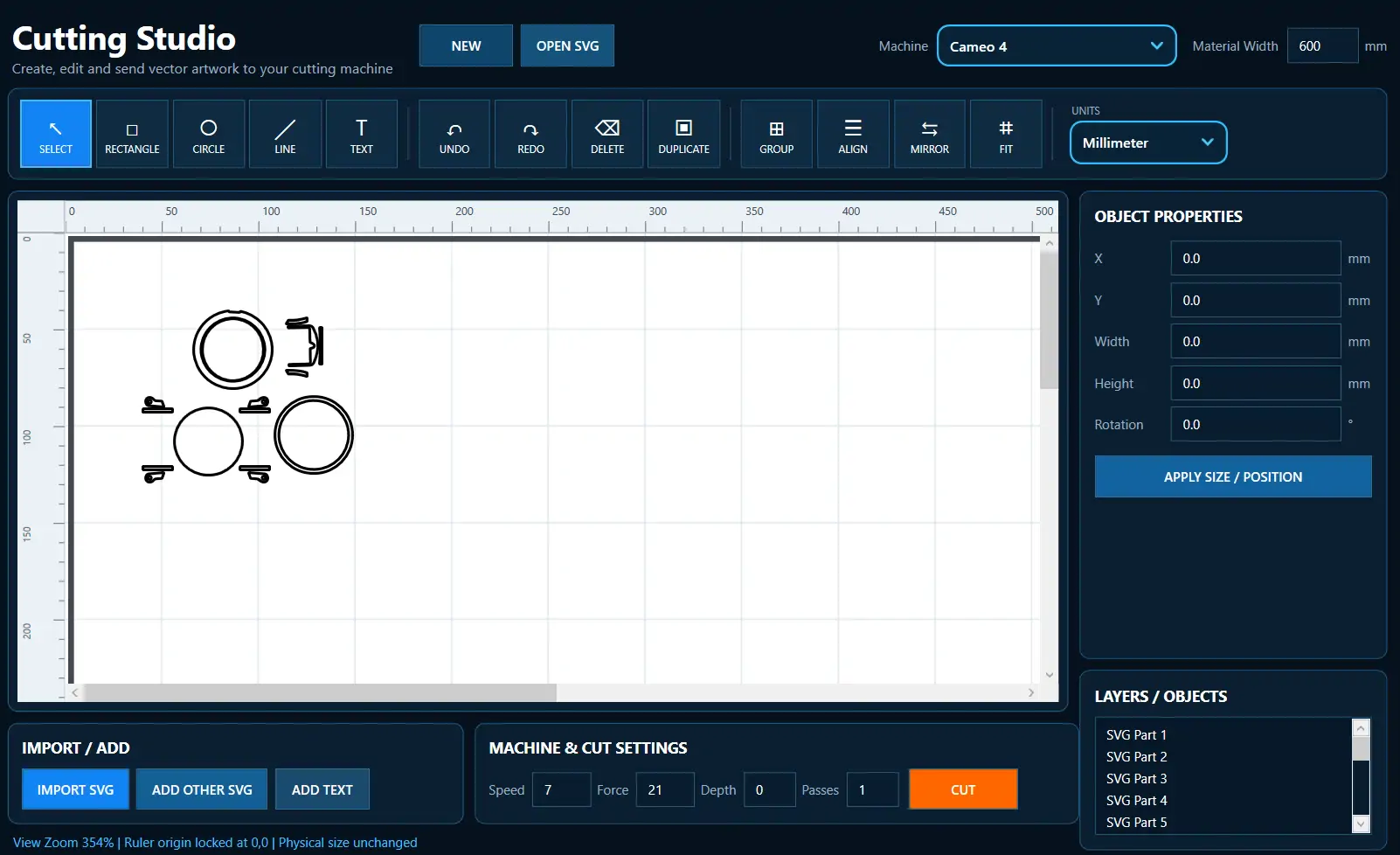
Create, Edit and Cut SVG Artwork with Your Cutting Plotter
AR PPF Tools includes a built-in SVG cutting studio for preparing vector artwork and sending designs to supported cutting machines. Open SVG files, add shapes or text, adjust size and position, duplicate, align, mirror and group objects before cutting.
The Cutting Studio is designed for PPF cutting, vinyl work and vector-template workflows where accurate dimensions, material width and machine cut settings are important.
- Open and edit SVG cutting files
- Add rectangles, circles, lines and text
- Resize, position, align, mirror, group and duplicate objects
- Set speed, force, depth and passes for supported cutting machines
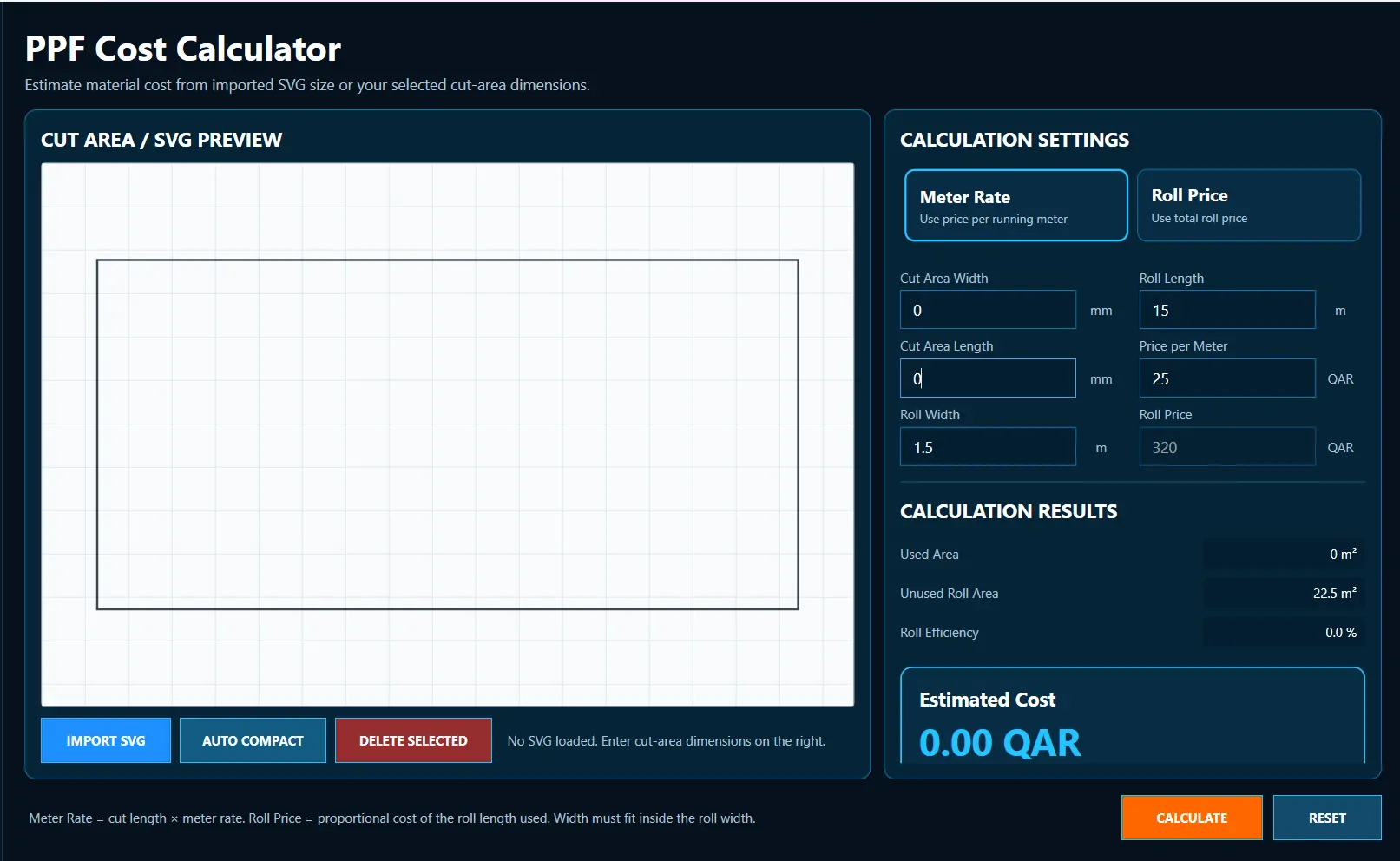
Calculate PPF Material Cost from SVG Size or Cut Area
The PPF cost calculator helps estimate material cost before cutting. Import an SVG or enter your cut-area dimensions, then calculate the estimated cost using either a price per running meter or the full roll price.
It also shows used area, unused roll area and roll efficiency, helping PPF shops understand material usage and estimate job costs more accurately.
- Calculate cost from imported SVG dimensions or manual cut area
- Use price per meter or total roll price
- See used area, unused roll area and roll efficiency
- Useful for PPF shops, installers and template businesses