How to Cut Mobile Skins Using a Cricut Machine
Mobile skin cutting is now simpler and faster with cutting equipment that has advanced. In these cutting machines that Cricut is widely utilized to produce precise vinyl skins.
Utilizing precise template templates created by AR Mobile Skin, mobile skins can be precisely cut by using Cricut devices. A proper setup and methods are necessary to obtain high-quality outcomes.
This tutorial shows how mobile skins can be cut by the Cricut machine in a straightforward and simple manner.
What Is a Cricut Machine?
An Cricut machine is an advanced cutting tool that is used to cut diverse materials, including paper, vinyl, and even fabric.
The machine is operated by software and allows cutting designs with great precision.
Popular Cricut models include:
- Cricut Maker 3
- Cricut Explore Air 2
They are typically used for the production of vinyl skin.
Why Cricut Is Used for Mobile Skins
Cricut machines are favored as mobile skins due:
- A precise cutting service is offered.
- Software that is easy to use is readily available.
- Different materials may be accommodated
- Rapid production is feasible.
These are ideal for novices and experts.
Tools Required for Cutting Mobile Skins
Before beginning, the needed equipment should be set up.
Essential Tools
- Cricut machine
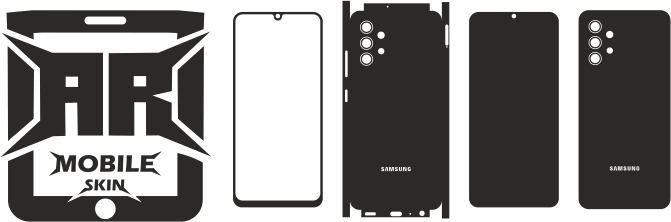
- Mobile skin template files
- Vinyl sheet
- Cutting mat
- Weeding tools
- Software for designing
The right tools will ensure a smooth workflow.
Step 1: Download Mobile Skin Template
The first step is downloading the smartphone skin design template.
The template must match the exact model of phone.
The high-quality templates will assure:
- A precise shape
- Proper alignment
- Clean cutouts
Check out: Complete Guide to Mobile Skin Templates for the Beginner
Step 2: Open Template in Cricut Design Space
The template must be loaded to Cricut software.
The software of the official version is:
- Cricut Design Space
After uploading:
- Change size as needed
- Verify for alignment
- Prepare design layout
Step 3: Prepare the Vinyl Sheet
The vinyl should be laid on the mat for cutting.
Important points:
- A smooth and even placement is essential.
- The skin should not have wrinkles.
- A proper alignment of mat grid should be accomplished
This helps ensure accurate cutting.
Step 4: Set Cutting Settings
Cut settings that are correct should be set in the program.
Setups depend on the vinyl type.
Common settings are:
- Type of material (vinyl)
- Blade tension
- Speed reduction
Small cuts are recommended prior to production in full.
Step 5: Start the Cutting Process
The cutting process may be initiated after the setup.
The machine can:
- Use the templates as a guideline.
- Cut vinyl precisely
- Create clean edges
It is automated once begun.
Step 6: Remove Excess Vinyl (Weeding)
After cutting, the excess vinyl needs to be removed.
The process of weeding is known as”weeding.
The weeding tools can be utilized to:
- Take out any unwanted components
- Clean edges
- Create final skin
Be careful to prevent damaging the design.
Step 7: Check Final Output
The cut that is finalized should be examined thoroughly.
Check that
- The edges are spotless
- The cutouts of the cuts are precise.
- The parts are not missing.
The quality check is crucial prior to applying.
Common Mistakes to Avoid
Many mistakes can impact cutting outcomes.
Common errors include:
- Setting the wrong settings
- Poor vinyl placement
- Templates of low-quality
- Dull cutting blades
Making sure to avoid these errors improves productivity.
Tips for Better Cutting Results
You can achieve better results with the help of simple guidelines.
- Make use of top-quality vinyl
- Keep blades sharp
- Make sure you have the right settings for cutting
- Make sure you use the correct templates
- Maintain clean workspace
Consistency improves production quality.
Why Template Accuracy Matters in Cutting
Templates play an important function in ensuring that cutting is accurate.
Accurate templates ensure:
- Perfect fitting skins
- Proper camera cutouts
- The clean finish
A poor template can result in:
- Skins with misaligned alignments
- Material waste
- Customer dissatisfaction
Templates made by AR Mobile Skin are designed to ensure precise cutting results.
Benefits of Using Cricut for Mobile Skins
Cricut machines provide several advantages.
- It is simple to use
- High-precision
- Rapid production
- Ideal for small-sized businesses
They are extensively used for the production of vinyl skins.
Conclusion
The cutting of mobile skins on an Cricut machine is an easy and fast process, provided you follow the right steps. Utilizing high-quality vinyl precise templates and the right setting of the machine, high-quality result can be produced.
Cricut devices are suited for businesses and beginners alike which makes them a great option for creating mobile skins. If you are able to practice with the correct tools, the perfect skins will be produced with a consistent effort.
FAQs
Do Cricut devices cut mobile skins?
Yes. Cricut machines cut vinyl skins with precision.
Which Cricut machine is best for mobile skins?
Cricut Maker 3 and Cricut Explore Air 2 are both popular selections.
Do I need templates for Cricut cutting?
Yes. The use of templates is essential for precise cutting.
What material is used for mobile skins?
Vinyl is a material that is widely employed.
Is Cricut suitable for beginners?
Yes. Cricut’s machines are great for beginners.