
How to Make Custom Drone Skin Templates using Scratch: The Complete Professional Guide
The need for customized drone skins will continue to increase because drone owners are seeking more protection from the elements, brand opportunities and personalised design. Although many companies purchase pre-designed templates, designing your own custom drone skin templates could give you a major advantages in the market.
The creation of custom templates allows the user to incorporate innovative drone designs, design distinctive products and further establish your company as a reputable authority within the field of drone customization.
This detailed guide will walk you through how to create high-end drone skin templates right from scratch.
What Is a Drone Skin Template?
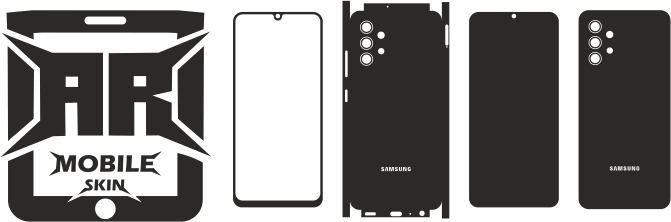
The drone skin template is the type of vector that depicts the surface of the drone.
The template is the base for
- Vinyl wraps
- Protective skins
- Customized graphics
- Branding packs
- Decals printed
Correct templates guarantee that final skins are perfectly fitted without obscuring vital parts.
Why Create Your Own Templates?
There are numerous advantages.
Exclusive Products
It is possible to offer exclusive templates that are not available anywhere else.
Faster Access to New Models
There’s no need to search for third-party providers.
Greater Accuracy Control
You are in charge of measuring and the quality standards.
Higher Profit Margins
Making templates internally reduces dependence on third party providers.
Essential Tools Required
The creation of professional templates requires a variety of instruments.
Digital Calipers
It is used to measure precise quantities.
Benefits:
- Accurate dimensions
- Congruous results
- A detailed analysis of the component
Flexible Measuring Tape
This is helpful to:
- Surfaces with curves
- Massive sections
- Contours of the body
Design Software
Options to consider:
- Adobe Illustrator
- CorelDRAW
- Affinity Designer
- Inkscape
Vector software is crucial.
Camera or Smartphone
Requirements to:
- Photos of reference
- Documentation
- Surface map
Images aid during the process of designing.
Test Vinyl
Useful to check fitment before the release of templates.
Testing is essential to ensure quality.
Understanding Drone Anatomy
Before you measure, examine the drone thoroughly.
The most important areas are:
Top Shell
The skin is often the biggest section.
Side Panels
Commonly customized areas.
Front Nose Section
Requires careful measurement.
Arms
The complex shapes require accuracy.
Battery Areas
Need to align properly.
Sensor Locations
It must be completely free of obstructions.
Understanding drone structures improves the accuracy of templates.
Step 1: Disassemble Only When Necessary
The majority of templates are created with no taking them apart.
Certain models might require access only to some concealed areas.
Follow the manufacturer’s guidelines to ensure that you do not damage your drone.
Step 2: Photograph Every Surface
Make high-quality photos of:
- Top view
- Side views
- Front view
- Rear view
- Sections of arms
- Storage compartments for batteries
Photographs serve as valuable design references.
Step 3: Measure All Major Sections
Utilize calipers as well as measuring tools to note:
Width
Take note of the most wide points.
Length
Record exact dimensions.
Curves
Note transition zones be sure to document transition areas.
Cutouts
Identify:
- Sensors
- Vents
- Ports
- Indicators
Accurate measurements increase the accuracy of templates.
Step 4: Create Initial Vector Shapes
Launch your favorite design program.
Begin to create:
- Simple outline
- Surface sections
- Major contours
Concentrate on the overall structure prior to making any further changes.
Step 5: Refine Surface Geometry
When the fundamental shapes have been made:
Adjust Curves
Recreate real-world contours.
Add Radius Details
Improve edge accuracy.
Smooth Transitions
Create clean vector paths.
The accuracy of this process is vital.
Step 6: Add Functional Cutouts
Modern drones have a variety of crucial parts.
Incorporate cutouts for
- Sensors for obstacles
- Cameras
- Ventilation vents
- Status LEDs
- Buttons
Do not cover areas that are operational.
Step 7: Create Installation Gaps
Professional templates have a slight space between sections.
Benefits are:
- Easier installation
- Lifting is reduced
- A better alignment
A few small slits can improve the usability of your product in real life.
Step 8: Print and Test Fit
Testing is by far the most critical phase.
The template can be printed with:
- Paper
- Vinyl with a low-cost price
Check:
- Alignment
- Coverage
- Sensor clearance
Multiple revisions are common.
Step 9: Revise and Improve
Most templates require adjustments.
Review:
Edge Alignment
Make sure the fit is clean.
Curvature Accuracy
Enhance contour match.
Installation Experience
Assess the ease of use.
Continuous refinement improves quality.
Step 10: Create Production Files
When testing is finished:
Formats for export such as:
- SVG
- AI
- EPS
- DXF
These formats can be used to cut machines as well as printing workflows.
Advanced Template Development Techniques
Template creators who are professionals often employ the most advanced techniques.
Digital Scanning
3D scanning technology enhances accuracy.
Benefits:
- Faster development
- Accuracy improved
- Greater repeatability
Photogrammetry
Multiple photos create digital surface models.
It is useful to:
- Complex drones
- Surfaces with curves
- New product development
CAD Modeling
Professionals can recreate drones using the CAD program.
Advantages:
- Precision in technical terms
- Engineering-level accuracy
This technique is particularly useful in libraries that offer premium templates.
Common Template Creation Mistakes
Beware of these common mistakes.
Ignoring Curvature
The measurements of flats alone are not enough.
Surfaces with curving require extra attention.
Covering Sensors
The most grave mistaken.
Sensors need to be fully exposed.
Poor Test Fitting
Templates must always go through physical tests.
In the absence of this step, it can lead to complaints from customers.
Excessively Large Panels
The smaller sections of the rig are usually more straightforward to put in.
Make sure you balance appearance and usability.
Building a Professional Template Library
As your collection grows, organize templates by:
Brand
Examples:
- DJI
- Autel
- Skydio
Product Series
Examples:
- Mini Series
- Air Series
- Mavic Series
Accessories
Examples:
- Controllers
- Batteries
- Hubs for charging
A well-organized library can improve the efficiency.
Monetizing Drone Skin Templates
It is possible to turn template creation into your own business.
Opportunities for revenue include:
Selling Templates
Offer downloadable vector files.
Selling Finished Skins
Wraps that are produced and finished.
Licensing Templates
Print providers can be partners with you.
Custom Development Services
Design templates for companies as well as creators.
Different revenue streams improve the profitability.
SEO Opportunities
Key words to be targeted include:
- Design drone skin templates
- Drone wrap template design
- How do you make skins for drones?
- Create a custom drone template
- Drone skin vector files
These words attract designers and entrepreneurs.
Future of Drone Template Development
A variety of technologies are shaping the future.
AI-Assisted Measurements
Template generation automated.
3D Surface Mapping
Development that is faster and more precise.
Cloud Collaboration
Remote design workflows.
Automated Fit Testing
Quality assurance has been improved.
This will decrease development times while improving precision.
Conclusion
Designing customized drone skin templates starting from scratch is a useful ability for entrepreneurs, designers and companies that specialize in drone customization. The process is not easy and requires a lot of the highest level of precision and accuracy and testing, it gives you the complete control over high-end, exclusive, and the potential for profit.
Through the combination of precise measurements along with professional tools, rigorous testing and constant improvement, you are able to create high-quality drone designs that are suitable for users from commercial and hobbyist drones all over the world.
FAQs
Which software should I use to create template drones for skins?
Adobe Illustrator, CorelDRAW, Affinity Designer as well as Inkscape are among the best-known options.
Do I need a 3D scanner to create templates?
No. Templates are created by hand with measurements and references to photography.
How long does it take to create a drone template?
Based on the complexity of your project an expert template could require a few hours or days to create.
Why is test fitting important?
Testing will ensure alignment is correct as well as installation speed and clearance for sensors.
Can drone templates be sold online?
Yes. A lot of businesses sell templates as download templates and final skin products.