
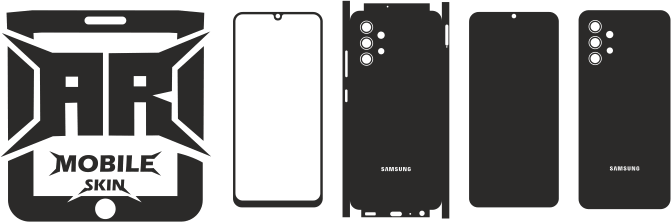

iPhone 11 Pro Skin Template: Detailed Instructions for Cricut, Vector Files, Vinyl Cutting, and Installation
Overview
A common technique to customise a smartphone without totally altering its design is via custom phone skins. A well-prepared **iPhone 11 Pro skin template** offers designers and vinyl-cutting enthusiasts a helpful starting point for producing precise custom designs.
A model-specific template can be used to prepare artwork, make cutting paths, test various vinyl materials, and generate repeatable designs rather than measuring the device by hand each time.
An iPhone 11 Pro vinyl skin template can speed up and streamline the process whether you are creating a skin for yourself or creating personalised skins for clients.
The operation of these templates, vector file usage, Cricut and Silhouette design preparation, and cutting and installation techniques are all covered in this guide.
What Is a Skin Template for the iPhone 11 Pro?
A digital outline or cutting pattern made especially for the iPhone 11 Pro is called an iPhone 11 Pro skin template.
The template offers the fundamental framework required to create a skin around the physical dimensions and pertinent regions of the phone.
Depending on the template, it could include:
- The shape of the back skin
- The region of the camera
- The opening of the camera
- The shapes of corners
- Cut lines
- Boundaries of design
- Different sections of the template
You can then add your own artwork by importing the template into design programmes that are compatible with it.
It’s crucial to remember that the template should be made especially for the **iPhone 11 Pro** and not another iPhone model that looks similar.
Why Use a Vinyl Skin Template for the iPhone 11 Pro?
Measuring, tracing, testing, and repeatedly modifying the design are all necessary when making a skin from scratch.
Much of the initial labour is eliminated with a dedicated template.
Faster Design Creation
You can begin with the phone outline already prepared instead of drawing it manually.
Consistent Production
A reusable template can help you stay consistent if you make the same skin design more than once.
Simpler Personalisation
You are able to put your own:
- Artwork
- Logos
- Names
- Patterns
- Text
- Illustrations
- Textures
inside the template.
Better Cutting Preparation
Vector-based cutting paths can be prepared for compatible cutting machines more efficiently than manually recreated outlines.
Useful for Commercial Work
Designers and custom skin businesses can build collections of different designs using the same model-specific foundation, subject to the template’s licensing terms.
Why Model-Specific Accuracy Matters
One of the biggest misconceptions in phone-skin development is presuming that similar iPhone models can utilise the same cutting template.
They cannot always be viewed as interchangeable.
The camera setup, body shape, size, and other physical properties can differ between versions.
For that reason, an iPhone 11 Pro skin template should be validated particularly for the iPhone 11 Pro before creation.
Using the wrong template can result in:
– Misaligned camera openings
– Incorrect edges
– Poor corner alignment
– Unwanted overlaps
– Incorrect proportions
– Wasted vinyl
Always validate the model before cutting your final material.
iPhone 11 Pro Template Vector Files
Vector files are extremely handy for custom cutting projects since the artwork consists of paths that may generally be changed and scaled without the same limits as raster graphics.
The following formats might be offered, depending on the template package:
– SVG
– EPS
– DXF
– CDR
– PNG
Additional formats that are compatible
The specific template product page should always be used to verify the precise forms.
The Benefits of Vector Files
An iPhone 11 Pro template that is vector-based can assist you:
- Reduce the size of artwork
- Modify the paths
- Include visuals
- Make several variants
- Get the cut lines ready.
- Export to software that is compatible
- Utilise the design in other projects.
Clean vector routes can be especially useful for professional output.
Using a Cricut Skin Template for an iPhone 11 Pro
Vinyl customisation projects often use Cricut machines.
You can load your iPhone 11 Pro cut file into your design programme and get it ready for cutting if it works with your Cricut workflow.
A simple workflow consists of:
1. Choose the appropriate template for the iPhone 11 Pro.
2. Bring the file in.
3. Verify the scale of the document.
4. Include your artwork.
5. Examine the opening for the camera.
6. Verify the cutting routes.
7. Choose your vinyl.
8. Make a test cut.
9. Cut the finished design.
10. Weed the extra vinyl.
11. Put the skin on.
The Cricut machine, software, and vinyl being used will determine your precise settings.
Using a Silhouette-Based iPhone 11 Pro Template
Custom vinyl projects are another application for Silhouette machines.
You can load a compatible **iPhone 11 Pro Cricut or Silhouette template** into the relevant design environment and get ready to cut.
Prior to beginning the final cut, make sure:
- The scale
- Cut lines
- The blade settings
- The material settings
- Orientation
- Little details
- The opening of the camera
- Duplicate routes
Before using the finished piece of vinyl, a test cut can assist find issues.
Skilled Vinyl Cutters
Professional cutting equipment might offer a more effective workflow for companies who produce phone skins in larger quantities.
Designers may utilise equipment from firms like these, depending on the production setup:
- Graphtec
- Roland
- Summa
- Other vinyl-cutting systems that work well
The process involves more than just the machine. Additionally, the template itself needs to be properly sized and have clean pathways.
Top Vinyl Substances for iPhone 11 Pro Skins
The intended appearance and application technique determine the best material.
Matte Vinyl
Matte vinyl lessens the surface’s reflective appearance and gives it a subdued look.
Shiny Vinyl
Gloss coatings can give an appearance of brightness and shine.
Vinyl in the Carbon-Fiber Style
The phone can have a technical or athletic look thanks to carbon-fiber-style materials.
Vinyl using a brush
A metallic-style visual effect can be produced with brushed textures.
Metallic Vinyl
For designs that look high-end, metallic materials can be helpful.
Printable Vinyl
For designs that include intricate graphics, gradients, pictures, or detailed artwork, printable vinyl is helpful.
Make sure the material is made for the intended surface and use at all times.
Using the Template to Create Custom Artwork
Creativity need not be constrained by a blueprint.
You can try out a variety of design ideas after the cutting outline is ready.
Among the popular styles are:
- Minimalist
- Luxurious
- Playing video games
- Automobile
- Sports
- Abstract
- Geometric
- Nature
- Typography
- Customised designs
- Designs with an emphasis on brands
Before sending the file to a cutter, a designer might, for instance, develop a luxury pattern in black and gold and place it inside the skin borders of the iPhone 11 Pro.
Creating with the Camera in Mind
One area that needs special consideration when preparing the design is the camera section.
When utilising the template:
- Important artwork should not be placed near necessary openings.
- Examine the camera region while zoomed in.
- Steer clear of superfluous details around cut lines.
- Look for pathways that overlap.
- Verify that the camera opening is accurately depicted.
- Prior to commercial manufacturing, test the design.
The final appearance of the skin can be greatly enhanced by a crisp camera cut.
iPhone 11 Pro Skins: Full-Back vs. Partial
The covering style doesn’t have to be the same for every custom skin.
Complete Back Skin
A full-back design can provide a larger area for:
- Artwork
- Patterns
- Branding
- Illustrations
- Personalised visuals
A portion of the skin
A smaller visual region can be the emphasis of a partial design.
This could be beneficial for:
- Logos
- Minimalist designs
- Accent images
- Little ornamental patterns
The artwork and content should guide your decision.
How to Get an iPhone 11 Pro Skin Ready for Cutting
Errors can be decreased with an organised workflow.
Step 1: Choose the Right Template
Verify that the file is designed exclusively for the iPhone 11 Pro.
Import the File in Step Two
Open the template in a vector or design programme that is compatible.
Step 3: Verify Scale
Verify that no inadvertent resizing of the template occurred during import or export.
Add Your Artwork in Step Four
Put the text, patterns, colours, and visuals within the proper bounds.
Verify the Paths in Step Five
Search for:
- Lines that are repeated
- Open routes
- Unwanted points
- Overlapping items
- Inaccurate cut lines
Step 6: File Preparation
Arrange the cutting paths and artwork in accordance with the workflow of your machine.
Step 7: Make a Test Cut
Whenever possible, make use of scrap material.
Step 8: Create the Complete Skin
Cut the final design when everything has been verified.
Installing an iPhone 11 Pro Skin
Accurate cutting is vital, but so is good installation.
A simple installation procedure is:
1. Clean the surface of the phone.
2. Eliminate residue, oil, and dust.
3. Carefully place the skin.
4. Prior to applying strong pressure, align key locations.
5. Gradually apply the vinyl.
6. As you work, smooth the material.
7. Be mindful of the edges and corners.
8. Carefully press down the edges.
9. Examine the camera area.
10. Look for creases and bubbles.
Observe the appropriate application guidelines for your specific vinyl.
How to Prevent Wrinkles and Bubbles
Patience is necessary for a clean installation.
To lessen wrinkles and bubbles:
- Work on a spotless surface.
- Prior to applying, clean the phone.
- Steer clear of overstretching.
- Prior to committing to the ultimate location, align the skin.
- Apply the substance gradually.
- If advised, use the proper application tool.
- Carefully smooth the vinyl.
- Allow time for the adhesive to solidify.
Installation methods may need to be modified since different materials behave differently.
Typical Errors with the iPhone 11 Pro Skin Template
Instead, Using an iPhone 11 Template
The iPhone 11 and iPhone 11 Pro are two distinct gadgets. Use a template designed for the appropriate model at all times.
Disregarding Scale
An improperly scaled file could result in an inappropriately aligned skin.
Ignoring the Test Cut
Before expensive vinyl is used, issues can be found with a test cut.
Disregarding camera clearance
Before production, camera-related regions must be thoroughly inspected.
Making Use of Overly Detailed Artwork
Cutting, weeding, and installing little shapes can be challenging.
Failing to Verify the License
Before selling completed skins, commercial users should confirm the template’s licensing.
Manual Measurement vs. iPhone 11 Pro Template
When compared to repeatedly measuring and tracing the gadget, a digital template can save time.
Features | Manual Measurement | Digital Template |
| Faster | Slower | Initial setup
Designs that are repeated | Simple | Time-consuming |
| Editing artwork | Simple | More work |
Consistency | Dependent on measurement | High when properly prepared |
Workflow for production | Repeatable | More manual
Yes | Less effective | Fit for collections |
A reusable template can play a significant role in the workflow for anyone creating numerous designs.
Make Several Skin Designs Using Just One Template
Reusability is one of the main benefits of digital templates.
Once the basic iPhone 11 Pro template is ready, you can make several designs like:
- Matte black
- Carbon-fiber design
- Marble
- Geometric
- Playing video games
- Sports
- Custom name
- The branding of the company
- Abstract art
- Designs based on photography
This enables designers to centre a whole line of products around a single device model.
Who Can Utilise a Skin Template for the iPhone 11 Pro?
These templates are helpful for:
- DIYers
- Designers of graphics
- Users of Cricut
- Users of silhouettes
- Cutters made of vinyl
- Print shops
- Custom phone-skin companies
- Businesses that sell promotional products
- Online retailers
- Branding firms
The user’s equipment and intended use determine the proper procedure.
Is It Possible to Make Commercial Use of an iPhone 11 Pro Skin Template?
The template’s licensing terms will determine if it can be used for commercial purposes.
Verify whether the license allows the following before selling completed skins:
- Commercial tangible goods
- Several completed goods
- Orders from customers
- Production in large quantities
- Modification to the template
- Utilisation in business
Additionally, make a distinction between spreading the original digital template and selling a completed physical skin.
Even in cases where commercial usage of completed products is permitted, it could be forbidden to distribute the source file.
Is the iPhone 11 Pro Skin Protective?
Depending on the material, a vinyl skin can help protect the surface and possibly lessen daily surface wear and minor scratches.
It shouldn’t be regarded as impact protection, though.
The main purposes of a skin are:
- Customisation
- Appearance
- Coverage of the surface
- Personalised branding
In addition to a skin, users that require more robust impact protection might choose to utilise an appropriate case.
Common Questions
What is a skin template for the iPhone 11 Pro?
A digital outline or cutting pattern created especially for making unique skins for the iPhone 11 Pro is called an iPhone 11 Pro skin template.
Is it possible to use an iPhone 11 Pro skin template with Cricut?
Yes, as long as your Cricut workflow is compatible with the template format. Before cutting, you might need to import and prepare the file.
Can I use Silhouette with the template?
Yes. It is usually possible to import compatible vector or cutting files into appropriate Silhouette software and get them ready for cutting.
Which file format is ideal for cutting?
Vector formats that can be helpful for cutting workflows include SVG, EPS, DXF, and CDR. Your computer and software determine the optimal format.
Is it possible to alter the iPhone 11 Pro template?
Yes. While keeping the proper cutting structure, you can incorporate text, graphics, patterns, logos, colours, and other artwork.
Can I use a single template to create multiple designs?
Yes. If the intended use is allowed under your license, a reusable template can be the basis for several designs.
Are the iPhone 11 and iPhone 11 Pro templates identical?
No. For skin-template purposes, the two models should be regarded as distinct devices. Whenever feasible, use the model-specific template.
Is it possible to manufacture an iPhone 11 Pro skin?
You can make printed skin designs and then cut them utilising a suitable process if you have the right printable vinyl and equipment.
Is it possible for me to sell skins created with the template?
The licensing of the template determines this. Before selling completed goods, review the commercial-use terms.
Does an iPhone 11 Pro skin offer drop protection?
No. A protective case is intended to offer greater impact protection than a vinyl skin.
Why should I make a test cut of the template?
Before using the finished vinyl, a test cut can help verify scale, material settings, cut pathways, and alignment.
Concluding Remarks
Without having to start from scratch when making unique vinyl graphics, an **iPhone 11 Pro skin template** offers a useful place to start.
Designers can develop artwork, prepare cutting paths, test materials, and build repeatable skins for personal or approved business purposes with the right vector file.

You Might Also Like

iPhone 12 Pro Skin Template: Complete Guide to Vinyl Cutting, Vector Files, Cricut & Installation
The iPhone 16e Skin Template Comprehensive Guide for Vinyl Cutting, Customization and Mobile Skins Businesses (2026)

