iPhone 11 Skin Template: Detailed Instructions for Cricut, Vector Files, Vinyl Cutting, and Installation
Overview
Custom skins, vinyl wraps, decals, and personalised designs continue to be popular for the iPhone 11. An exact iPhone 11 skin template can make the entire cutting process easier, whether you are a professional vinyl cutter, graphic artist, sign manufacturer, mobile-accessory company, or an individual who likes to create bespoke phone designs.
A dedicated template offers a ready-made design that may be ready for vinyl cutting and customised with your own artwork, saving you the trouble of measuring the phone by hand and making cutting outlines from scratch.
A variety of visual styles, such as minimalist skins, carbon-fiber designs, metallic finishes, printed graphics, company branding, customised artwork, and many more, can be created using an iPhone skin template.
Workflow efficiency is the greatest benefit for designers and professionals that cut vinyl. Instead of continuously drawing the phone’s basic outline, you may focus on artwork, material selection, and installation once the right template is ready.
An iPhone 11 Skin Template: What Is It?
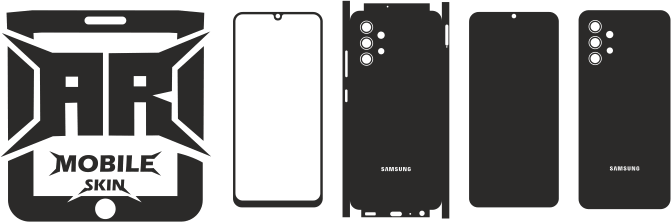
A digital cutting outline made especially for the actual shape of the iPhone 11 is called an iPhone 11 skin template.
Typically, the template has routes that indicate where vinyl has to be cut. These routes may consist of the following, depending on the template design:
- Skin outlines on the front or back
- The opening of the camera
- Sections on the sides
- Button sections
- The corners
- Coverage of the edges
- Extra clipped lines
- Paths of alignment or reference
After that, the file may be imported into vector or cutting software that is compatible with it, modified as needed, merged with artwork, and delivered to a vinyl cutter.
The primary goal is straightforward:
Before cutting the vinyl itself, make a precise cutting pattern.
Because the same base template may be utilised with numerous designs, this is very helpful for creating multiple skins.
Why Use a Specific Vinyl Skin Template for the iPhone 11?
Measurements, curves, camera opening placement, and frequent testing can all be part of the manual process of creating a phone skin.
This procedure is made easier by a specific template.
1. Reduces Design Time
You can start with an existing cutting template and focus on your artwork rather than creating the phone outline from scratch.
2. Facilitates Repeated Production
You might need to make several iPhone 11 skins if you run a vinyl-cutting company. A reusable template offers a reliable place to start.
3. Accepts Custom Artwork
The template is compatible with:
- Logos
- Patterns
- Text
- Images
- Illustrations
- The brand’s visuals
- Textures
- Abstract art
4. Aids in Camera Cutouts
An essential component of an iPhone 11 skin is the camera area. Correctly positioning the camera opening is made easier with a well-prepared template.
5. Utilises Digital Cutting Processes
Because vector-based templates can be imported into numerous professional design and cutting programmes, they are very helpful.
Selecting the Appropriate iPhone 11 Template
Making sure you are utilising the template for the standard iPhone 11 instead of another iPhone model is one of the most crucial stages.
The physical designs and camera configurations of the iPhone 11, iPhone 11 Pro, and iPhone 11 Pro Max differ.
As a result, their cutting files shouldn’t be used interchangeably.
Keep each model distinct if you are creating an iPhone template collection.
For instance:
- The iPhone 11
- The iPhone 11 Pro
- The iPhone 11 Pro Max
This lowers the chance of choosing the incorrect file during production and simplifies the management of your digital library.
Vector files for the iPhone 11 Skin Template
Because the artwork may be scaled and altered while keeping defined routes, vector formats are frequently utilised for vinyl cutting.
The following formats may be helpful, depending on the source and software workflow:
SVG
SVG is widely used in digital cutting operations and by designers. When utilising programmes that offer scalable vector graphics, it can be helpful.
CDR
CDR can be used for professional sign-making and vinyl-cutting workflows and is frequently linked with CorelDRAW.
DXF
DXF can be helpful when transferring vector outlines between compatible programmes and is frequently used for CAD and cutting-related workflows.
EPS
Another well-known vector format for graphic design and production processes is EPS.
PLT
Plotter-oriented workflows are frequently linked to PLT files.
When the file includes the necessary vector data, PDF might be helpful for viewing, printing, or transferring artwork.
PNG
Although a raster image may not offer the same customisable cutting pathways as a vector file, PNG is helpful as a visual reference or for specific print procedures.
Cricut iPhone 11 Skin Template
Designers and small businesses frequently utilise Cricut machines to cut vinyl items.
By preparing the file in compatible software and importing the necessary design, an iPhone 11 template can be integrated into a Cricut workflow.
This is how a typical workflow appears:
First, choose the iPhone 11 template.
Verify that the template precisely matches the normal iPhone 11.
Step 2: Launch the Document
Bring the compatible vector file into your Cricut workflow or design programme.
Examine the Paths in Step Three
Examine the camera opening, phone outline, and other crucial cut lines.
Add Your Artwork in Step Four
Put your logo, texture, pattern, or other piece of art inside the skin area.
Prepare the Cutting Layout in Step Five
Taking into account the size of your vinyl, arrange the pattern on the virtual cutting mat.
Step 6: Make a Test Cut
Use cheap material to test the design before cutting pricey vinyl.
Cut the Final Skin in Step Seven
Cut the final design using the vinyl material of your choice after the test has been verified.
Using a Silhouette Cameo iPhone 11 Template
Customers who make vinyl skins, stickers, and decals are also big fans of Silhouette Cameo machines.
The overall process is comparable:
- Bring in the appropriate design.
- Check the scale.
- Examine the cutout of the camera.
- Position artwork.
- Select the correct material profile.
- Make a test cut.
- Cut the last piece of vinyl.
- Remove anything that isn’t needed.
- Get the skin ready for installation.
The vinyl manufacturer, blade condition, cutting mat, and machine model can all affect the precise machine settings.
Because of this, a tiny test cut is typically more dependable than relying just on one universal setting.
Expert Vinyl Cutters
A professional production workflow that includes devices like these can also use an iPhone 11 skin template.
- Graphtec
- Roland
- Summa
- Additional plotter cutters that are compatible
Keeping template files well-organized can greatly increase productivity for professional manufacturing.
A folder structure like this can be made:
Apple > iPhone → iPhone 11 → Skin Templates
Next, store several formats within the model folder.
When processing customer orders, this facilitates finding the appropriate cutting file.
Full-Coverage vs. Back Skin
You could want to create a variety of coverage options while making an iPhone 11 skin.
Skin on the Back
The phone’s main back surface is covered with a back skin.
Compared to a more intricate edge-covering skin, it is typically simpler to design, cut, and install.
Skin with Maximum Coverage
A maximum-coverage design may reach farther into the corners and edges.
This can produce a more comprehensive visual change, but installation may need to be done more carefully, particularly around curved sections.
The right design is determined by:
- The vinyl variety
- Adhesive properties
- Experience as an installer
- The ideal look
- The needs of the customer
- Cutting tools
Selecting Vinyl for an iPhone 11 Skin
The finished result consists of more than just the template. The appearance and installation experience can be significantly altered by the choice of vinyl.
Popular options consist of:
Matte Vinyl
Matte surfaces lessen noticeable reflections and produce a simple, unobtrusive look.
Shiny Vinyl
Gloss finishes give an illusion of brightness and shine.
Vinyl with Carbon Fibre
Carbon-fiber textures are widely used in performance-style and automotive-inspired designs.
Vinyl with Brushed Metal
Brushed finishes can give the phone a contemporary, industrial look.
Metallic Vinyl
Metallic materials may produce designs that look high-end and have reflected qualities.
Vinyl with printing
Because practically any appropriate artwork may be incorporated into the design, printed vinyl offers the most creative possibilities.
Ideas for Custom iPhone 11 Skin Designs
Your creative options are greatly expanded once you have a trustworthy cutting template.
Simple Design
Use:
- Solid hues
- Simple designs
- Tiny logos
- Clean typography
Minimalist skins are appropriate for people that seek a professional appearance.
Design of Carbon Fibre
For a sporty appearance, combine a carbon-fiber texture with delicate accent designs.
Elegant Style
Use brushed metal, marble, leather-style, or high-end abstract textures.
Designing Games
Make unique skins based on:
- Logos for games
- Characters
- Patterns that are geometric
- Neon-inspired artwork
- Esports branding
Customised Skin
Add:
- Names
- Initials
- Dates
- Quotations
- Personalised illustrations
Branding for Businesses
Custom phone skins are one way that businesses can leverage mobile branding.
Before cutting, the artwork may include a brand pattern, website name, or company logo.
How to Get an iPhone 11 Skin’s Artwork Ready
Preparing artwork well is crucial.
Check the following before cutting:
Avoid Cut Lines with Important Graphics
Important text and logos should not be positioned too near edges where they could be partially erased.
Take into Account the Camera Area
The camera opening need to stay unobstructed.
Verify Orientation
Before cutting, make sure the artwork is oriented correctly.
Create Curves or Paths from the Correct Elements
Converting editable text and significant artwork to the proper vector paths while using vector software might lessen interoperability issues.
Get Rid of Superfluous Items
Eliminate unneeded or concealed items that can unintentionally be mistaken for cutting pathways.
Verify Scale
Make sure the template is being imported at the correct size at all times.
Cutting the Vinyl Skin of an iPhone 11
There are various steps in a typical production process.
1. Get the File Ready
Verify that the right model is chosen by opening the iPhone 11 template.
2. Include the Design
Put your piece of art inside the cutting line.
3. Choose the Vinyl
Select the right vinyl based on installation specifications and the desired look.
4. Test Cut
To confirm the cutting procedure, use a tiny piece of material.
5. Slice the Skin
Give your cutting machine the completed design.
6. Weed the Vinyl
Keep the skin itself intact while removing superfluous material.
7. Examine the Skin
Check:
- The opening of the camera
- The corners
- The edges
- Alignment of artwork
- The quality of the surface
Installation should only begin after the cut appears to be accurate.
Installing a Vinyl Skin for an iPhone 11
Patience and preparation are necessary for a clean installation.
First, clean the phone.
Clear the installation surface of any impurities, including grease, dust, and fingerprints.
Step 2: Skin Alignment
Place the skin and check its alignment before removing the entire backing.
Step 3: Focus on a Single Area
Instead of dropping the full piece onto the phone at once, apply the vinyl gradually.
Smooth the Surface in Step Four
To gradually eliminate air pockets, use the proper application techniques.
Work Around Curves in Step Five
Curved parts and corners can need more care.
Press the Edges in Step Six
Verify that the edges are securely adhered to the desired surface.
Step 7: Examine the Camera Region
Verify that the camera apertures are positioned correctly.
How to Prevent Wrinkles and Bubbles
An otherwise superb skin can appear unprofessional due to poor installation.
To lessen issues:
- Work on a spotless surface.
- Make sure the phone is completely clean.
- Avoid hurrying the application.
- Steer clear of overstretching the vinyl.
- Apply gently.
- Be very mindful of corners.
- Make use of the proper application tools.
- Adhere to the installation instructions provided by the vinyl manufacturer.
If a wrinkle appears during installation, lightly lift the affected area when the material permits it and reapply instead of pressing it in place.
Manual Measurement vs. iPhone 11 Skin Template
There are two fundamental methods for making phone skins.
Manual Approach
You take measurements of the phone and create your own design.
Advantages:
- Total command
- Beneficial for designs including experiments
- No pre-existing template is needed.
Disadvantages:
- Time-consuming
- Increased potential for measurement mistakes
- It can be challenging to position the camera.
- Repeated production requires more time.
Dedicated Template Approach
You begin with a digital cutting file that is customised to the model.
Advantages:
- A quicker workflow
- Simpler personalisation
- Replicable manufacturing
- More appropriate for digital cutting
A dedicated template is typically a more effective place to start for companies that produce several designs.
Creating a Collection of iPhone 11 Skin Templates
Making a whole iPhone 11 family can be beneficial for clients who use several devices if you sell digital templates.
Think about classifying your collection into:
- The iPhone 11
- The iPhone 11 Pro
- The iPhone 11 Pro Max
After that, you may make distinct product pages and instructional articles for each model.
Additionally, this structure facilitates user and search engine comprehension of your website.
Build an Entire Library of iPhone Templates
One product page is just the start of a digital-template website.
Creating a comprehensive library centred around Apple products is a more effective content strategy.
For instance:
Cluster for the iPhone 11
- The iPhone 11 Skin Template
- The iPhone 11 Pro Skin Template
- The skin template for the iPhone 11 Pro Max
- The Greatest Vinyl Skins for the iPhone 11
- How to Cut Skins for the iPhone 11
- How to Use a Vinyl Skin on an iPhone 11
- Skin Design Ideas for the iPhone 11
- Explanation of iPhone 11 Template Formats
Expanded iPhone Group
The iPhone 11 articles can then be linked to templates for:
- The iPhone 12
- The iPhone 13
- The iPhone 14
- The iPhone 15
- The iPhone 16
- The iPhone 17
- Older models of iPhones
Instead of creating separate product sites, this method aids in the creation of an extensive iPhone skin-template repository.
Who Is Able to Utilise an iPhone 11 Skin Template?
Many different kinds of users can benefit from an iPhone 11 template.
Vinyl Cutting Companies
Expert cutters may create phone skins tailored to each consumer by using templates.
Designers of graphics
Instead of reconstructing the phone form, designers may focus on creating artwork.
Sign-Makers
Companies that now use vinyl cutting technology can expand their product line to include mobile skins.
Sellers of Digital Products and Etsy
As long as their license rights permit the intended use, designers who sell digital cutting files may use model-specific templates as the basis for their own artistic creations.
Do It Yourselfers
Individuals who like customising their own gadgets can make original designs without depending solely on skins that are sold commercially.
Licensing and Commercial Use
Always verify the template’s license before distributing digital cutting files or selling physical skins.
There is a significant distinction between:
Making a tangible object with a template
and
Redistributing or reselling the original digital template
One kind of use may be permitted while another is restricted by a template license.
Examine the relevant licensing requirements before utilising digital files for commercial output if you run a commercial vinyl cutting company.
The Significance of Model-Specific Templates
Phone designs can share a similar appearance yet differ significantly in:
- Dimensions
- The positioning of the camera
- The location of the button
- Corner geometry
- The form of the edge
- Openings for speakers
- Additional physical information
Therefore, it should not be expected that a template designed for one model will fit another.
Always confirm the precise model of the device before cutting in professional production.
Common Questions
What is a skin template for the iPhone 11?
A digital cutting outline created especially for making vinyl skins, wraps, or decals for the iPhone 11 is called an iPhone 11 skin template.
Which file types are compatible with iPhone 11 skins?
SVG, CDR, DXF, EPS, PLT, and other appropriate vector or production formats are frequently used in vinyl-cutting workflows. Depending on the workflow, PNG and PDF may also be helpful.
Is it possible to utilise an iPhone 11 template with Cricut?
It is possible to create a vector design that is compatible with a Cricut workflow. Prior to using your finished vinyl, always check the imported scale and make a test cut.
Can I use Silhouette Cameo with an iPhone 11 skin template?
Yes. It is possible to prepare and import compatible cutting files into a suitable Silhouette process.
Is it possible to modify the template?
Yes. Subject to the template’s licensing terms, you can typically incorporate your own artwork, patterns, logos, colours, and images with the cutting outline.
Is it possible to make an iPhone 11 skin for my company?
Yes, if the license for the template allows for commercial use. Prior to creating skins for sale, always verify the particular licensing requirements.
What kind of vinyl should I use?
The ideal material is determined by the installation specifications and desired finish. Common options include matte, gloss, carbon fibre, brushed, metallic, and printable vinyl.
Does an iPhone skin shield the device from drops?
The main purposes of a vinyl skin are aesthetics and surface protection. It shouldn’t be used in place of a protective case against large impacts or drops.
Should I make a test cut before creating the finished skin?
Yes. Before using your finished piece of vinyl, a test cut might assist find scaling, material, or cutting problems.
Is it possible to use a single iPhone template for every model of iPhone 11?
No. Since the iPhone 11, iPhone 11 Pro, and iPhone 11 Pro Max are different models, they should use the appropriate templates.
Concluding Remarks
Without having to painstakingly replicate the shape of the phone for each project, a iPhone 11 skin template offers a useful place to start when making personalised vinyl skins, wraps, and decals.