How to Apply Camera Skins Without Bubbles (Step-by-Step Guide)
The correct application of camera skins is crucial to achieve the appearance of a professional, clean look. Even skins with high-quality materials can appear unprofessional if wrinkles, bubbles or misalignments happen in the process of installation.
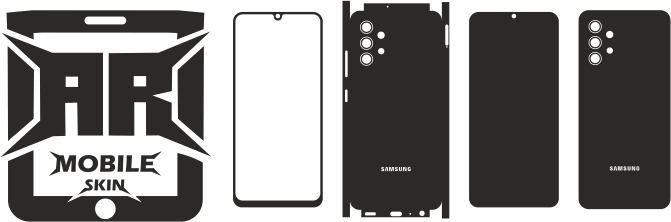
If precise templates use, the application is simpler because cutting lines will fit precisely over buttons, grips and ports.
This document shows how camera skins can be applied with no bubbles by using easy and efficient strategies.
Why Proper Application Matters
The correct application can improve:
- Appearance
- Durability
- Adhesion quality
- Customer satisfaction
A poor installation may cause a decrease in the longevity of your skin.
Tools Needed for Camera Skin Application
Before you begin, make sure to make sure you have the tools needed.
Tools to use:
- Microfiber cloth
- Squeegee tool
- Tweezers
- Cleansing solution
- A hair dryer or heat gun (optional)
These tools improve installation quality.
Step 1: Clean the Camera Surface
The camera’s surface needs to be thoroughly cleaned.
Remove:
- Dust
- Fingerprints
- The oil residue
A clean surface improves adhesion.
Tip:
Make use of a microfiber towel that is a cleaner based on alcohol.
Step 2: Prepare the Skin Properly
Prior to removing the backing paper
- Verify for alignment
- Find button cuts
- Know the areas of placement
Preparation reduces mistakes during application.
Step 3: Begin from one side.
Applications should start slowly starting beginning from a single edge.
The recommended method is:
- Peel one small piece first
- Be sure to align your arrows carefully
- Continue to press gradually
This helps prevent bubbles.
Step 4: Apply Slowly and Evenly
The skin is to be pulled downwards slowly.
Important:
- Do not be rushed
- Press gently
- Sections of work section-by-section
A slow process improves the accuracy.
Step 5: Use a Squeegee Tool
Squeegees can help smooth out the surface of vinyl.
Benefits:
- Get rid of air bubbles
- Enhances adhesion
- Smooth appearance
Always pull air towards the edges.
Step 6: Handle Curved Areas Carefully
Camera bodies usually have curvatures and grips with textured surfaces.
Tips:
- The vinyl is stretched gently
- Use heat with care if necessary.
- Avoid excessive pulling
The careful handling of wrinkles is essential.
Step 7: Use Heat for Difficult Sections
The heat softens the vinyl, which improves its the flexibility.
Take care when you are using
- Curved edges
- Grip zones
- Corner sections
Hair dryers are great in this regard.
Step 8: Remove Small Bubbles
The appearance of small bubbles is still possible at times.
Solutions:
- Then push air outward with the Squeegee
- Remove and apply the product with care.
- Make use of a pin with a fine tip to release the air to be trapped if you need it.
The majority of bubbles can be eliminated quickly.
Step 9: Check Alignment and Cutouts
After installation:
- Opens on the Check Button
- Check the port areas
- Ensure clean edges
Proper alignment improves professionalism.
Step 10: Allow the Adhesive to Set
The skin will settle following the application.
Recommendation:
- Beware of heavy-handling for long periods of time
- Keep device dry during settling period
This helps improve adhesion in the long run.
Common Mistakes to Avoid
Don’t make these errors:
- Application of the coating on surfaces that are dirty
- In the rush to complete the installation
- Pulling vinyl too hard
- Inattention to the alignment
The issues can reduce the quality of final products.
Best Environment for Applying Camera Skins
It is also important to consider the workspace.
The ideal conditions are:
- A dust-free space
- Good lighting
- Moderate temperatures
A clean workspace improves results.
Tips for Professional Results
To get the perfect result:
- Choose premium vinyl
- Make sure to apply gradually
- Use proper tools
- Test positioning before installation
A patient attitude can make a difference in appearance.
Why Accurate Templates Matter
Templates can be installed much more easily.
Benefits:
- A better alignment
- Cleaner cutouts
- Easier application
Also read: Best Vinyl Materials to make Camera Skins
Best Devices for Camera Skin Installation
Popular devices include:
- cameras
- Mirrorless cameras
- DSLRs
- drones
Specific templates help with installation across any device.
Conclusion
The application of camera skins that are free of bubbles demands patience, planning, and a proper method. With high-quality vinyl, exact templates and appropriate equipment, professional results will be consistently achieved.
A well-planned installation does not just improve appearance but also enhances the longevity and satisfaction of customers.
FAQs
How come bubbles are appearing during the application?
The bubbles typically appear due to the trapped air or dirt on surfaces.
Are bubbles removed following the application?
Yes. small bubbles are often taken out or lifted gently.
Do you need heat to apply the skins of cameras?
The heat can be helpful on curving sections however, it is important to use it with care.
What is the most effective tool to eliminate bubbles?
A squeegee tool works best for smoothing vinyl.
Does having accurate templates help make installation a lot easier?
Yes. Correctly designed templates can improve aligning and fitting.