How to Create Custom Laptop Skin Designs (Beginner to Pro Guide)
The custom laptop skins have become increasingly sought-after because consumers want their laptops to reflect their individuality, style and imagination. It doesn’t matter if you’re creating to sell personal merchandise online, custom laptop skins will help make you make an impression.
If accurate templates created from AR Mobile Skin are used customized designs can be made with precision as well as professional quality.
This article explains how laptop skins that are custom designed are created starting from the beginning to advanced levels.
Why Custom Laptop Skin Designs Are Popular
Customization allows users to create unique devices.
Benefits:
- Personal expression
- Brand Identity
- Unique appearance
- More valuable product
Customized designs are in huge demand throughout the world.
Step 1: Choose the Laptop Model
All designs must be in line with dimensions of the laptop.
Important:
- Choose the laptop model that is specific to your computer.
- Utilize accurate templates
- Check cutout positions
An incorrect sizing may result in the product being damaged.
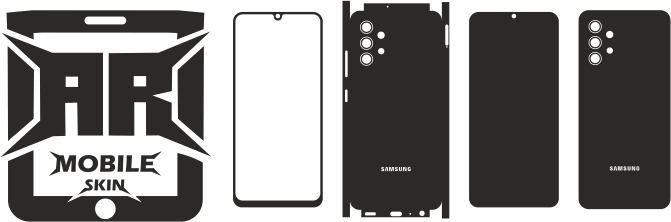
Step 2: Use Professional Templates
Templates are essential for accurate design placement.
Benefits:
- Perfect fitting
- Lines that precisely cut
- Easier design alignment
Professional templates help save time and eliminate mistakes.
Step 3: Select Design Software
The software for design is necessary to edit and create graphic designs.
Adobe Illustrator
Adobe Illustrator
Ideal to use for:
- Vector designs
- Professional editing
- Complete customization
Canva
Canva
The best to use for:
- Beginners
- Quick design creation
- Simple editing
Step 4: Choose a Design Style
Different design styles attract different audiences.
Styles that are popular:
- Minimalist designs
- Themes from anime
- Gaming graphics
- Abstract art
- Corporate branding
The latest designs tend to work better.
Step 5: Use High-Quality Graphics
The image quality can affect the final outcome.
Use:
- High-resolution images
- Graphics with clean vectors
- Sharp patterns
Graphics of poor quality reduce the professionalism.
Step 6: Match Colors Properly
Color combinations influence design appeal.
Tips:
- Utilize neutral color schemes.
- Avoid excessive brightness
- Match audience preferences
Good color selection improves visual quality.
Step 7: Keep Important Areas Clear
Laptop components shouldn’t be inaccessible.
Avoid covering:
- Logos and logos
- Sections for ventilation
- Cutouts and ports
The importance of functional design.
Step 8: Test the Design Digitally
Prior to cutting, the designs must be inspected.
Ensure:
- Proper alignment
- Correct dimensions
- No overlapping elements
Testing reduces production mistakes.
Step 9: Print or Cut the Design
When the design has been finalized, it may be made.
Common tools:
- Cricut Maker 3
- Silhouette Cameo 4
They ensure precise cuts.
Step 10: Apply the Laptop Skin Carefully
Applicability affects the appearance of the final product.
Tips:
- First, clean the surface.
- Use gently
- Clean out bubbles by using the Squeegee
Careful application improves quality.
Best Custom Laptop Skin Ideas
Some of the most popular ideas are:
- Animation themes
- Sports-related themes
- Minimalist art
- Corporate branding
- Names that are personalized
Innovative ideas draw more attention from buyers.
How to Create Designs That Sell
The most successful designs typically include:
- Be aware of current trends
- Find ways to satisfy customer needs
- Clean and professional appearance
It is important to know your audience.
Common Design Mistakes to Avoid
Don’t make these errors:
- Graphics with low resolution
- The layouts are often complicated.
- Incorrect dimensions
- Unpleasant color schemes
These mistakes reduce product quality.
Tips for Better Custom Designs
To improve your designs:
- Study market trends
- Utilize high-quality templates
- Maintain a balanced layout
- Regularly practice
Experiential learning boosts the ability to think creatively.
How Templates Improve Design Accuracy
Templates help design the process.
Benefits:
- Placement that is precise
- A better fit
- Faster workflow
Also read: Benefits of Using the Laptop Skin Templates
Conclusion
Designing custom laptop skins is an excellent method to show your creativity and create a successful company. With the help of precise templates, high-quality images, and top-quality equipment, top-quality customized skins are created regularly.
Through practice and imagination innovative designs that entice clients from all over the world can be created effectively.
FAQs
What is the best software to design laptop skins?
Adobe Illustrator is ideal for professionals. Canva is ideal for those who are just beginning.
Can beginners create custom designs?
Yes. For beginners, it is possible to start by using simple equipment and templates.
Why are templates important?
Templates are designed to ensure a perfect fit and align.
What designs are most popular?
Gaming, minimalist, anime as well as personalized designs are very sought-after.
Can custom laptop skins be sold online?
Yes. Customized skins are in great demand across the globe.